> For the complete documentation index, see [llms.txt](https://sync.wiki.mksdtech.com/llms.txt). Markdown versions of documentation pages are available by appending `.md` to page URLs; this page is available as [Markdown](https://sync.wiki.mksdtech.com/installation.md).
# Installation
Install Rhino Sync on Windows with the installer, or on Windows and macOS with the Rhino Package Manager.
Install Rhino Sync on every computer that joins a collaboration. Everyone must run the same version.
## Requirements
* Rhino 8.14 or later. Older versions refuse to load the plug-in.
* Rhino running on .NET Core, which is the Rhino 8 default. If you switched Rhino to .NET Framework, run `SetDotNetRuntime` and switch it back.
* Internet access to `sync.mksdtech.com`.
{% hint style="warning" %}
Rhino 7 is not supported.
{% endhint %}
## Choose an install method
Use one method per computer, not both. If you installed with the Windows installer, uninstall it before you install from the Package Manager.
{% tabs %}
{% tab title="Windows" %}
Use either method.
{% content-ref url="/pages/niKTjRZ58jT5Zi51uH8P" %}
[Installer for Windows](/installation/windows-installer.md)
{% endcontent-ref %}
{% content-ref url="/pages/QeMdi0gDmVNjR0gbqdOI" %}
[Rhino Package Manager for Windows and macOS](/installation/package-manager.md)
{% endcontent-ref %}
{% endtab %}
{% tab title="macOS" %}
Install from the Rhino Package Manager.
{% content-ref url="/pages/QeMdi0gDmVNjR0gbqdOI" %}
[Rhino Package Manager for Windows and macOS](/installation/package-manager.md)
{% endcontent-ref %}
{% endtab %}
{% endtabs %}
## Deploy to a team
{% content-ref url="/pages/M57PiFlv6YYDLGx1jsyq" %}
[Deployment for IT teams](/installation/it-deployment.md)
{% endcontent-ref %}
## Updates
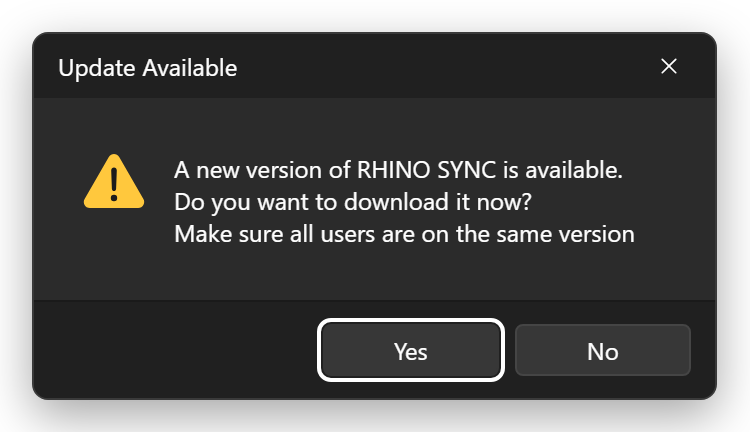
Each time you click **Collaborate**, Rhino Sync checks for a newer version. If one exists, it asks you to update.
* Click **Yes** to open the download page. Collaborate stops so you can install the update first.
* Click **No** to continue with your current version.
Update everyone in the team together. The **Users** list shows a warning next to anyone on a different version.
## Check your version
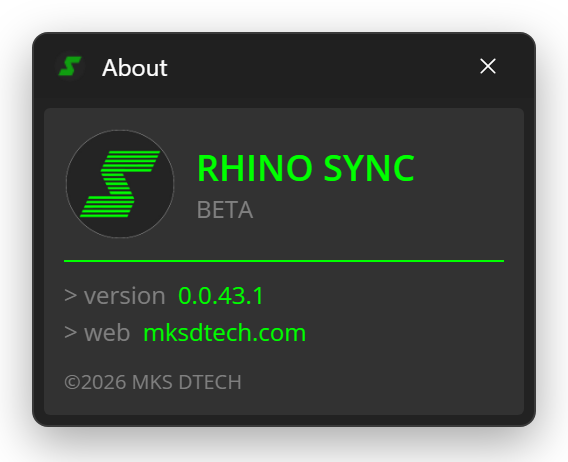
Click **About** at the top of the **Sync** panel. The version appears next to `> version`.